Cette traduction a été générée automatiquement et n’a pas encore fait l’objet d’une relecture humaine. Vous parlez cette langue ? Relisez-la.
Introduction
Que votre chaîne soit trop grande ou cassée, ce tutoriel vous aidera à remettre votre vélo sur les sentiers.
Ce dont vous avez besoin
-
-
-
Commencez à détacher la roue en tournant le levier de l'attache rapide.
 Demander à FixBot
-
-
-
Saisissez le dérailleur arrière, puis tirez-le vers l'arrière.
-
Remarquez l'angle quasi vertical du dérailleur sur la seconde image par rapport à la première.
-
-
-
La chaîne devrait avoir suffisamment de mou pour que vous puissiez retirer la roue du vélo.
-
Ôtez la roue du vélo.
-
-
-
-
-
-
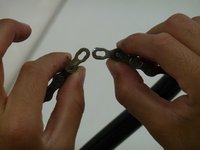
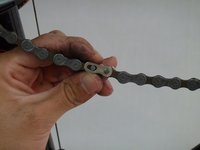
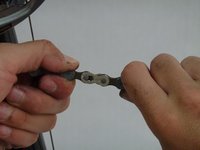
Repérez l'attache rapide le long de la chaîne.
-
À l'aide d'une pince, serrez les deux goupilles l'une contre l'autre pour détacher la chaîne.
-
-
-
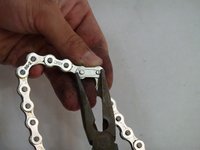
Avec une pince, appuyez sur les deux goupilles pour les rapprocher et retirez l'attache.
-
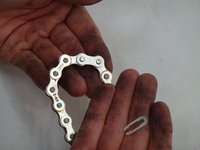
Une fois l'attache retirée, la chaîne devrait se séparer facilement.
-
-
-
Une fois la chaîne séparée, retirez-la du vélo en tirant sur une extrémité.
-
-
-
Avec la nouvelle chaîne, placez-la sur le pignon actuel de votre vélo.
-
Faites passer une extrémité de la chaîne dans le dérailleur de haut en bas, afin qu'elle prenne la forme d'un « S ».
-
Ensuite, placez la chaîne sur les pignons arrière, en vous assurant qu'elle est bien passée dans le guide.
-
-
-
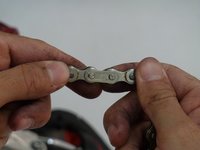
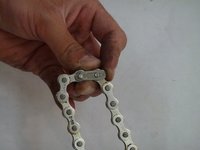
Pour remonter la chaîne, rapprochez les deux extrémités de façon à ce que les goupilles de chaque côté s'alignent.
-
Saisissez la chaîne des deux côtés du maillon rapide et tirez.
-
-
-
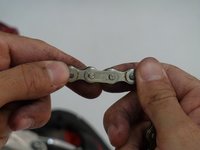
Si votre chaîne possède un maillon rapide, remettez le maillon autour des deux axes.
-
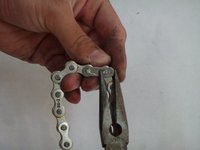
Utilisez une pince pour faire glisser l'attache rapide en place.
-
-


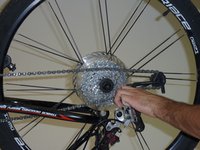
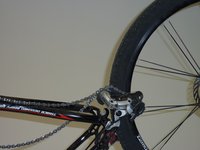


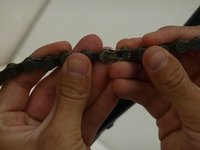
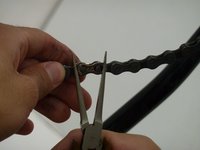




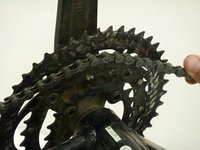
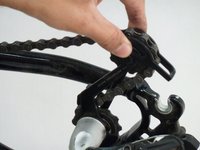
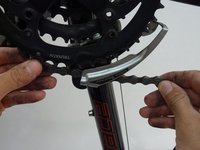


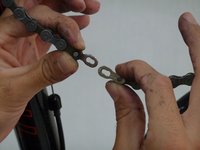


Une fois votre chaîne remise en place, vous êtes prêt à retourner sur les sentiers.
Annulation : je n'ai pas terminé ce tutoriel.
Une autre personne a terminé cette réparation.

Équipe

Cal Poly, Team 1-37, Maness Winter 2014 Membre de l'équipe Cal Poly, Team 1-37, Maness Winter 2014
CPSU-MANESS-W14S1G37
4 membres
71 tutoriels rédigés
