Aller au contenu principal
Pour réparer ensemble - Je crée un compte

Turtle Beach Recon 70P Microphone Replacement

Ce dont vous avez besoin

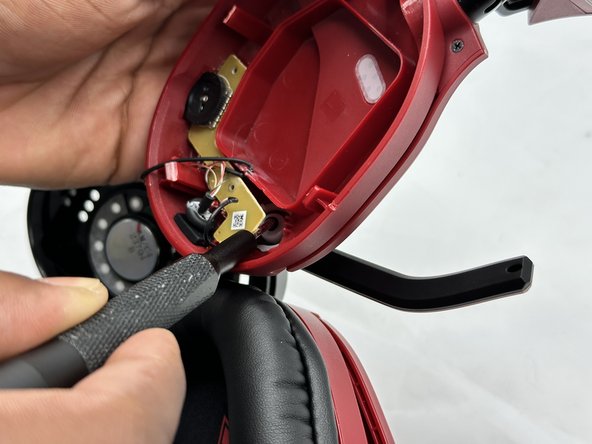
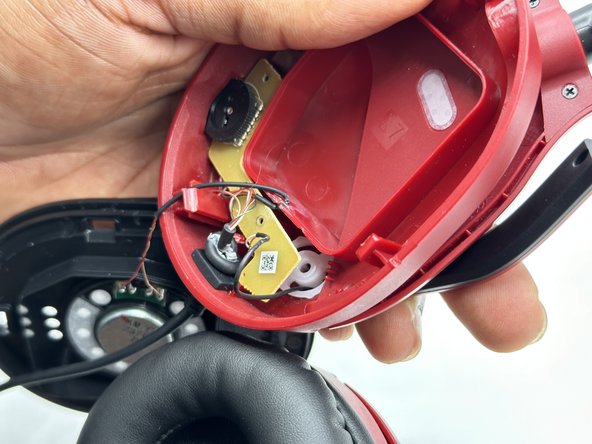
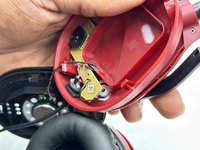
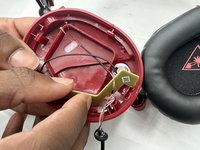
    1. Turtle Beach Recon 70P Microphone Replacement, Microphone: étape 1, image 1 de 2 Turtle Beach Recon 70P Microphone Replacement, Microphone: étape 1, image 2 de 2
      • Before continuing, remove the left ear pad with the earpad replacement guide.

      • Ensure that you are removing the side that houses the microphone.

      • Use a spudger to pry up the black plastic housing.

      • Remove the plastic cover.

      Demander à FixBot

      Ajouter un commentaire

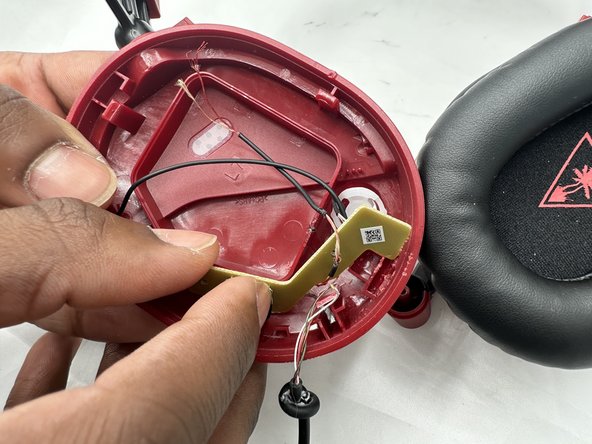
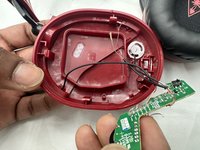
    2. Turtle Beach Recon 70P Microphone Replacement: étape 2, image 1 de 3 Turtle Beach Recon 70P Microphone Replacement: étape 2, image 2 de 3 Turtle Beach Recon 70P Microphone Replacement: étape 2, image 3 de 3
      • Use a Phillips screwdriver remove the two 5 mm screws that secure the motherboard.

      Demander à FixBot

      Ajouter un commentaire

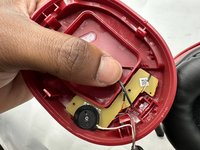
    3. Turtle Beach Recon 70P Microphone Replacement: étape 3, image 1 de 3 Turtle Beach Recon 70P Microphone Replacement: étape 3, image 2 de 3 Turtle Beach Recon 70P Microphone Replacement: étape 3, image 3 de 3
      • Use a Phillips screwdriver to remove the single 8 mm screw under the motherboard that secures the microphone.

      Demander à FixBot

      Ajouter un commentaire

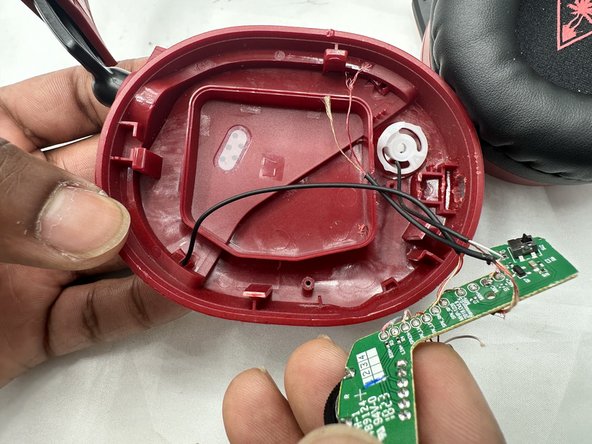
    4. Turtle Beach Recon 70P Microphone Replacement: étape 4, image 1 de 3 Turtle Beach Recon 70P Microphone Replacement: étape 4, image 2 de 3 Turtle Beach Recon 70P Microphone Replacement: étape 4, image 3 de 3
      • You may need to move the wire connecting to the speaker to easily remove the motherboard.

      • Remove the circuit board from the housing.

      • Take care not to strain the wires.

      Demander à FixBot

      Ajouter un commentaire

    5. Turtle Beach Recon 70P Microphone Replacement: étape 5, image 1 de 1
      • Desolder the microphone connections.

      • Soldering irons can cause burns and fires. Always solder and desolder in a well-ventilated workspace.

      Demander à FixBot

      Ajouter un commentaire

Conclusion

To reassemble your device, follow these instructions in reverse order.

Annulation : je n'ai pas terminé ce tutoriel.

Austin Hance

Membre depuis le 02/05/24

588 Réputation

4 tutoriels rédigés

Équipe

0 commentaires de tutoriel

Ajouter un commentaire

Nombre de vues :

Dernières 24 heures : 0

7 derniers jours : 12

30 derniers jours : 44

Total : 835