Aller au contenu principal
Pour réparer ensemble - Je crée un compte

iHome IBT16 Power Switch Replacement

Ce dont vous avez besoin

    1. iHome IBT16 Power Switch Replacement, Base Plate: étape 1, image 1 de 2 iHome IBT16 Power Switch Replacement, Base Plate: étape 1, image 2 de 2
      • Make sure to flip the device over to get into the correct orientation

      • Using the Philips #00 Screwdriver, unscrew and remove the four 9mm black screws on the base plate of the device.

      • Make sure to keep these screws in a safe location so you don't lose them

      Demander à FixBot

      Ajouter un commentaire

    2. iHome IBT16 Power Switch Replacement: étape 2, image 1 de 2 iHome IBT16 Power Switch Replacement: étape 2, image 2 de 2
      • Using the plastic opening tool, insert into the crack between the base plate and the main body of the device

      • Using a lever like motion, push the opening tool down thus lifting the plate

      • You will need to use your fingers to lift the base plate off the main body of the device

      • The motherboard is directly underneath the base plate

      Demander à FixBot

      Ajouter un commentaire

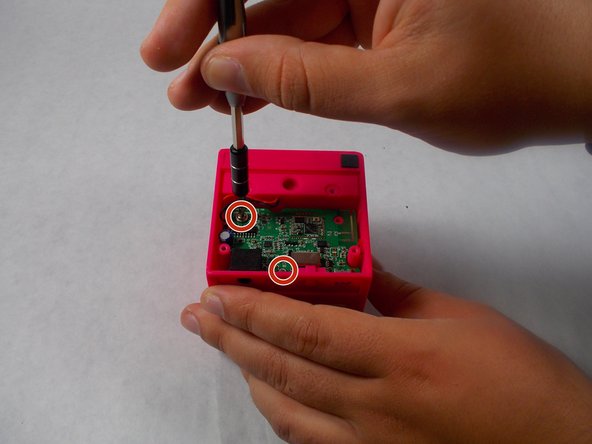
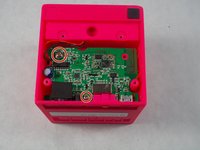
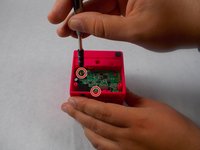
    1. iHome IBT16 Power Switch Replacement, Power Switch: étape 3, image 1 de 2 iHome IBT16 Power Switch Replacement, Power Switch: étape 3, image 2 de 2
      • Using the Philips #00 screwdriver, unscrew and remove the two silver 10mm screws holding the motherboard

      • Don't misplace the screws! Keep them in a safe place while working on the device

      • Make sure to ground yourself prior to continuing at this point

      Demander à FixBot

      Ajouter un commentaire

    2. iHome IBT16 Power Switch Replacement: étape 4, image 1 de 1
      • Using the plastic opening tool, pull the motherboard out of the casing

      • Make sure to lift it out at an angle to the back, as the plastic power switch is attached to the board and can be broken

      Demander à FixBot

      Ajouter un commentaire

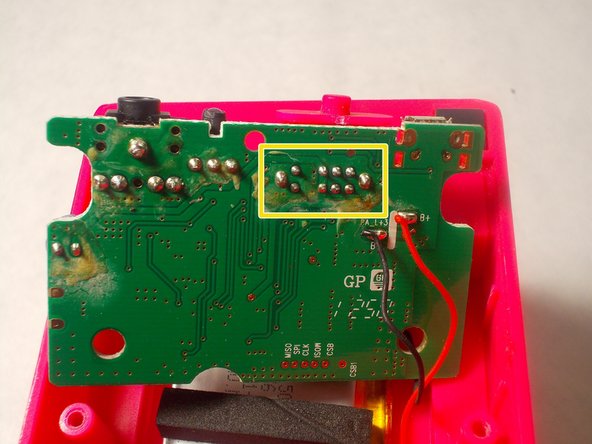
    3. iHome IBT16 Power Switch Replacement: étape 5, image 1 de 2 iHome IBT16 Power Switch Replacement: étape 5, image 2 de 2
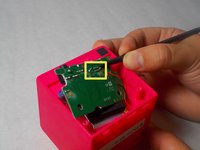
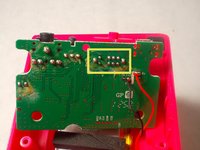
      • Desolder the 10 points holding the power switch to the motherboard

      • Once complete, simply remove the switch from the board

      Demander à FixBot

      Ajouter un commentaire

Conclusion

To reassemble your device, follow these instructions in reverse order.

Annulation : je n'ai pas terminé ce tutoriel.

Une autre personne a terminé cette réparation.

Ryan Edwards

Membre depuis le 03/21/17

331 Réputation

3 tutoriels rédigés

Équipe

UMass Dartmouth, Team S3-G6, Botvin Spring 2017 Membre de l'équipe UMass Dartmouth, Team S3-G6, Botvin Spring 2017

UMASSD-BOTVIN-S17S3G6

2 membres

10 tutoriels rédigés

0 commentaires de tutoriel

Ajouter un commentaire

Nombre de vues :

Dernières 24 heures : 2

7 derniers jours : 5

30 derniers jours : 15

Total : 1,061