Wiki réalisé avec l'aide d'étudiants
Une formidable équipe d’étudiants de notre programme éducatif a créé ce wiki.
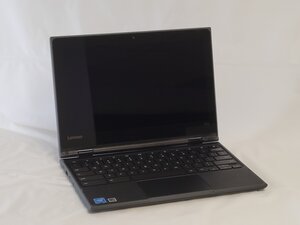
Les touches de votre Lenovo 500e Chromebook 81ES ne répondent plus ? Utilisez ce guide de diagnostic pour en comprendre la raison.
Inspectez le clavier à la recherche de dommages physiques :
- Touches manquantes
- Résidus de liquide
- Touches qui collent
- Attaches de clavier cassées
Les connexions ne reçoivent aucune entrée :
Si un clavier ne fonctionne pas correctement, le problème peut venir des connexions. Effectuez les opérations suivantes :
- Vérifiez si le clavier est correctement connecté à l'appareil. Essayez de vous connecter via différents ports USB et avec différents câbles.
- Pour les claviers connectés via Bluetooth, vérifiez la stabilité de la connexion Bluetooth et activez-la correctement.
Problème de connexion avec un clavier différent :
- Commencez par prendre un clavier externe et repérez le port USB sur le côté de l'ordinateur portable Lenovo. Une fois trouvé, branchez l'USB sur l'ordinateur portable.
- Si le clavier externe fonctionne, il s'agit d'un problème avec le clavier interne.
- Si aucun des deux ne fonctionne, il s'agit d'un problème logiciel ou système.
Dysfonctionnements logiciels de l'ordinateur :
Des dysfonctionnements logiciels sur l'ordinateur pourraient être une cause possible de touches non réactives.
- Un redémarrage peut résoudre de nombreux problèmes simples et dysfonctionnements causant des problèmes de clavier en utilisant le bouton de marche.
Si le clavier ne répond toujours pas, une réinitialisation forcée pourrait aider.
- Redémarrez l'appareil en maintenant la touche Actualiser enfoncée et en appuyant sur le bouton de marche.

Équipe

University of North Texas, Team 2-3, Harold Fall 2025 Membre de l'équipe University of North Texas, Team 2-3, Harold Fall 2025
UNT-HAROLD-F25S2G3
4 membres
60 tutoriels rédigés

0 commentaires