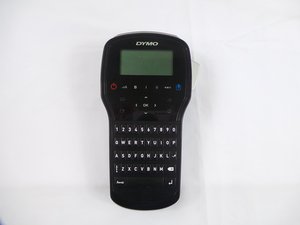
Boîtier arrière
Cette traduction a été générée automatiquement et n’a pas encore fait l’objet d’une relecture humaine. Vous parlez cette langue ? Relisez-la.
|
1 Réponse Indice de 0 |
What are all the hidden menus on the device? |
|
2 Réponses Indice de 1 |
Why isn't my cutter working correctly? |
|
1 Réponse Indice de 0 |
Why is my alphabet coming up with Spanish characters |
|
1 Réponse Indice de 0 |
My screen is too dark or looks faded. |
Voici quelques outils couramment utilisés pour travailler sur cet appareil. Vous ne devriez pas avoir besoin de tous les outils pour chaque procédure.
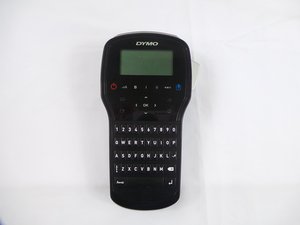
Si vous rencontrez des difficultés avec la Dymo LabelManager 280, consultez la page de diagnostic.
Comparée aux versions précédentes, la LabelManager 280 présente quelques fonctionnalités majeures absentes auparavant. Cette version vous permet de créer des étiquettes avec 6 tailles de police, 7 styles de texte, 8 encadrements et soulignages, ainsi que 220 symboles et images clipart. Elle est également équipée d'une batterie rechargeable au lithium-ion.
Le nom du modèle Dymo LabelManager 280 est imprimé directement sur la coque arrière de l'étiqueteuse.
Guide de référence rapide de la LabelManager 280
Manuel d'utilisation de la DYMO LabelManager 280
Manuel d'utilisation de la DYMO LabelManager 280
Manuel d'utilisation de la DYMO LabelManager 280
USFT-EYESTONE-S16S6G5
3 membres
36 tutoriels rédigés
Dernières 24 heures : 2
7 derniers jours : 8
30 derniers jours : 60
Total : 2,761