Cette traduction a été générée automatiquement et n’a pas encore fait l’objet d’une relecture humaine. Vous parlez cette langue ? Relisez-la.
Introduction
Suivez ce tutoriel pour remplacer un fusible de 600 mA/600 V grillé dans votre multimètre iFixit.
Le multimètre possède deux fusibles : un fusible de 600 mA qui protège la plupart des fonctions du multimètre, et un fusible de 10 A qui protège la fonction de mesure de courant élevé. Le fusible de 600 mA est facilement remplaçable, mais le fusible de 10 A est soudé à la carte. Ce tutoriel ne couvre pas le remplacement du fusible de 10 A. Si vous possédez des bases en soudure, vous pouvez facilement remplacer le fusible soudé en quelques étapes supplémentaires.
Si votre multimètre ne mesure plus la tension, la résistance ou le courant, le fusible de 600 mA/600 V est probablement grillé. Vous devrez remplacer le fusible par le modèle suivant :
- 600 mA/600 V à action rapide, taille 5x20 mm
Si votre multimètre ne mesure plus le courant en mode 10 A, remplacez le fusible soudé de 10 A par le modèle suivant :
- 10 A/600 V à action rapide, jusqu'à 32 mm de longueur
- Le fusible d'usine mesure 6,3x32 mm, mais l'emplacement peut accueillir une gamme de diamètres de fusibles différents.
- Pour faciliter ce remplacement, commandez des fusibles de rechange avec des fils déjà attachés.
N'installez pas de fusibles avec des spécifications de courant ou de tension plus élevées, sous peine d'endommager votre multimètre pendant son utilisation. Vous pouvez installer en toute sécurité des fusibles avec des spécifications de courant ou de tension plus faibles : votre multimètre ne pourra simplement pas fonctionner sur toute sa plage de mesure.
Ce dont vous avez besoin
-
-
-
Éteignez votre multimètre.
-
Débranchez les sondes de votre multimètre.
 Demander à FixBot
-
-
-
-
-
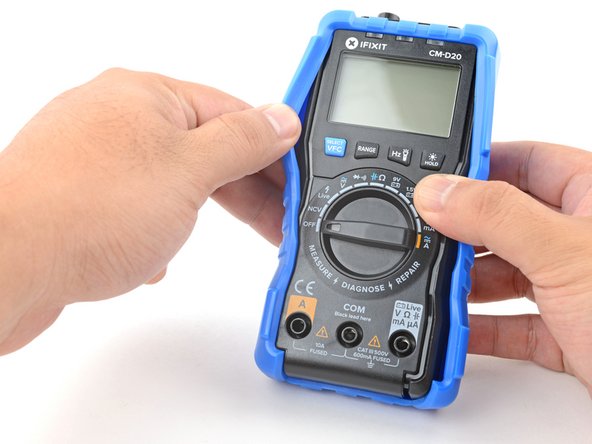
Avec vos doigts, tirez et desserrez le rebord du cache hors de sa rainure le long du bord droit du multimètre.
-
Faites levier et desserrez le cache depuis le coin inférieur droit du multimètre.
-
-
-
Répétez la procédure pour décoller le cache sur le bord gauche du multimètre.
-
-
-
-
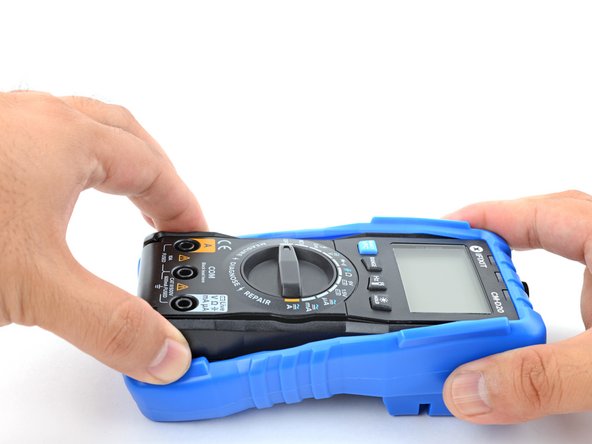
Tirez le bas du cache vers l'extérieur du multimètre pour le desserrer.
-
-
-
Saisissez les côtés du cache près du haut pour le maintenir en place.
-
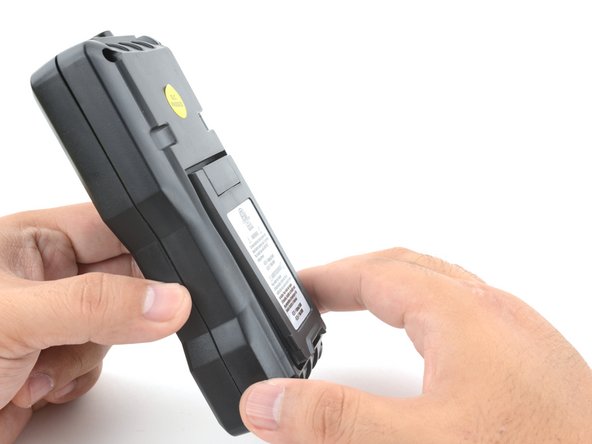
Saisissez le bord inférieur du multimètre et tirez-le à un angle faible pour le sortir du cache.
-
-
-
-
-
À l'aide d'un tournevis cruciforme, retirez les quatre vis du boîtier de 9,6 mm de long.
-
-
-
Saisissez la moitié avant et la moitié arrière du multimètre, puis tirez pour séparer les deux moitiés.
-
-
-
À l'aide d'une spatule (spudger) ou de vos doigts, faites levier pour extraire le fusible de son support.
-
Retirez le fusible.
-
-








Pour remonter votre appareil, suivez ces instructions en sens inverse.
Pour plus d'informations sur l'utilisation de votre multimètre iFixit, consultez cette page.
Annulation : je n'ai pas terminé ce tutoriel.
Une autre personne a terminé cette réparation.


1 commentaire de tutoriel
Are these old images? I notice the board looks different from the one shown in the video on iFixit channel. Seems like an older revision. Are all multimeters the new revision now, or is it random which one you could get?
