Aller au contenu principal
Pour réparer ensemble - Je crée un compte

Maze Speed SSB-508 Power and Volume Button Replacement

Vues: 748

Afficher les statistiques :

Dernières 24 heures :
2
Sept derniers jours :
16
Trente derniers jours :
67
Total :
748
Commentaires: 0

Personne n'a commenté ce tutoriel. Serez-vous le premier ?

Aller aux commentaires de tutoriel
Terminé: 0

Personne n'a marqué ce tutoriel comme « terminé ». Serez-vous le premier ?

Favoris: 0

Personne n'a mis ce tutoriel en favori (ni ne s'y est abonné). Serez-vous le premier ?

Temps nécessaire: 5 minutes
Difficulté: Facile
Maze Speed SSB-508 Power and Volume Button Replacement

This guide will show you how to replace the power and volume buttons in a Maze Speed SSB-508 phone. If the power or volume buttons are unresponsive or malfunctioning, they may need to be replaced. To complete this guide, a plastic opening tool, tweezers, and a new button piece is required. Precision is recommended, as to not damage any components.

Ce dont vous avez besoin

Outils

    1. Maze Speed SSB-508 Power and Volume Button Replacement, Power and Volume Buttons: étape 1, image 1 de 3 Maze Speed SSB-508 Power and Volume Button Replacement, Power and Volume Buttons: étape 1, image 2 de 3 Maze Speed SSB-508 Power and Volume Button Replacement, Power and Volume Buttons: étape 1, image 3 de 3
      • Remove the back cover by gently prying open the bottom left corner of the case with the plastic opening tool.

      Demander à FixBot

      Ajouter un commentaire

    2. Maze Speed SSB-508 Power and Volume Button Replacement: étape 2, image 1 de 2 Maze Speed SSB-508 Power and Volume Button Replacement: étape 2, image 2 de 2
      Outil utilisé dans cette étape :
      Tweezers
      $4.99
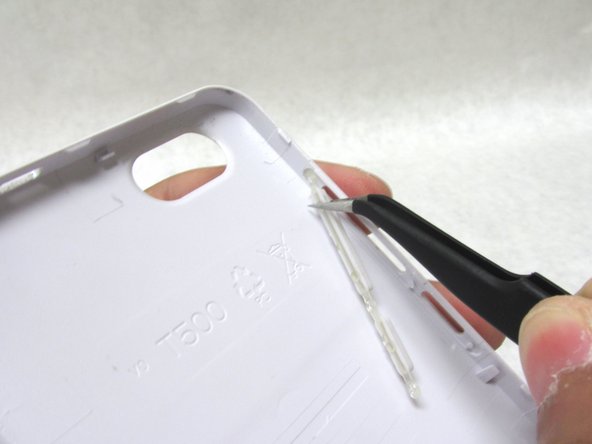
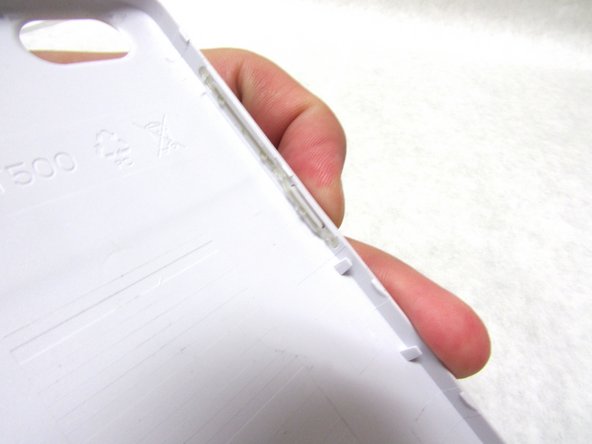
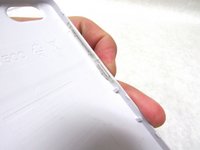
      • There are three areas holding the power and volume buttons in place. Gently pull the bottom of the power button with a pair of fine-tip tweezers to release the lower half.

      Demander à FixBot

      Ajouter un commentaire

    3. Maze Speed SSB-508 Power and Volume Button Replacement: étape 3, image 1 de 3 Maze Speed SSB-508 Power and Volume Button Replacement: étape 3, image 2 de 3 Maze Speed SSB-508 Power and Volume Button Replacement: étape 3, image 3 de 3
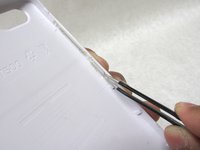
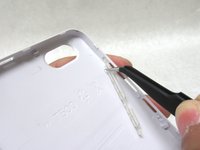
      • Carefully remove the top section of the button with the fine-tip tweezers . This should free the button completely.

      Demander à FixBot

      Ajouter un commentaire

Conclusion

To reassemble your device, follow these instructions in reverse order.

Annulation : je n'ai pas terminé ce tutoriel.

0 commentaires de tutoriel

Ajouter un commentaire

Nombre de vues :

Dernières 24 heures : 2

7 derniers jours : 16

30 derniers jours : 67

Total : 748