Aller au contenu principal
Pour réparer ensemble - Je crée un compte

Depth Sensor Node Enclosure Assembly

Ce dont vous avez besoin

  1. Depth Sensor Node Enclosure Assembly, Running Node Builder Web App: étape 1, image 1 de 3 Depth Sensor Node Enclosure Assembly, Running Node Builder Web App: étape 1, image 2 de 3 Depth Sensor Node Enclosure Assembly, Running Node Builder Web App: étape 1, image 3 de 3
    • open Anaconda Navigator

    • launch Spyder

    • click 'Open File' and select "node_builder.py" under "\Documents\anvil"

    • click the 'Run' button

    • visit this link to get started: Node Builder

    Demander à FixBot
  2. Depth Sensor Node Enclosure Assembly, Outside Structure: étape 2, image 1 de 3 Depth Sensor Node Enclosure Assembly, Outside Structure: étape 2, image 2 de 3 Depth Sensor Node Enclosure Assembly, Outside Structure: étape 2, image 3 de 3
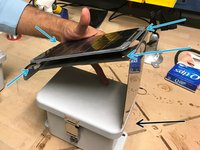
    • Obtain a solar panel with the appropriate metal plate.

    • Obtain the correctly bend metal plate.

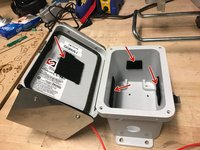
    • The enclosure is the box where the sensor board, and wires are kept to protect from the environment.

    • Obtain the enclosure with the predrilled holes.

    Demander à FixBot
  3. Depth Sensor Node Enclosure Assembly, Extending the Solar Panel Wire: étape 3, image 1 de 3 Depth Sensor Node Enclosure Assembly, Extending the Solar Panel Wire: étape 3, image 2 de 3 Depth Sensor Node Enclosure Assembly, Extending the Solar Panel Wire: étape 3, image 3 de 3
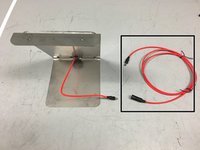
    • Obtain the solar panel extension cable

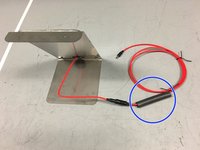
    • Obtain heat-shrink tubing and place it around the cable

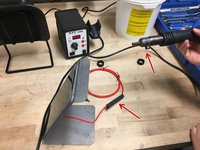
    • Cover the connection between the solar panel wire and the extension cable with the heat-shrink tubing. Then, use a heat gun to shrink the tubing, creating a water-tight seal around the connection

    Demander à FixBot
  4. Depth Sensor Node Enclosure Assembly, Preparing Solar Panel Wire: étape 4, image 1 de 2 Depth Sensor Node Enclosure Assembly, Preparing Solar Panel Wire: étape 4, image 2 de 2
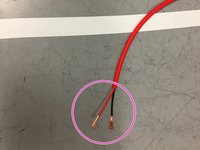
    • Trim the solar panel extension wire so there is approximately 20 inches of wire from the connection point

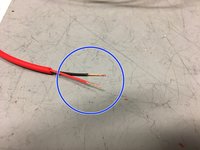
    • Strip the wires as shown in the image

    • Twist the ends of the wires

    Demander à FixBot
  5. Depth Sensor Node Enclosure Assembly, Attaching The Solar Panel: étape 5, image 1 de 3 Depth Sensor Node Enclosure Assembly, Attaching The Solar Panel: étape 5, image 2 de 3 Depth Sensor Node Enclosure Assembly, Attaching The Solar Panel: étape 5, image 3 de 3
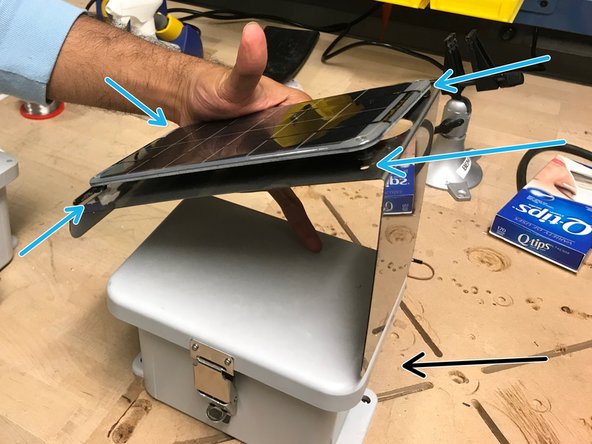
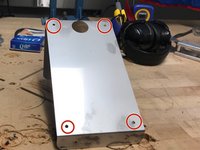
    • Attach the solar panel onto the metal plate.

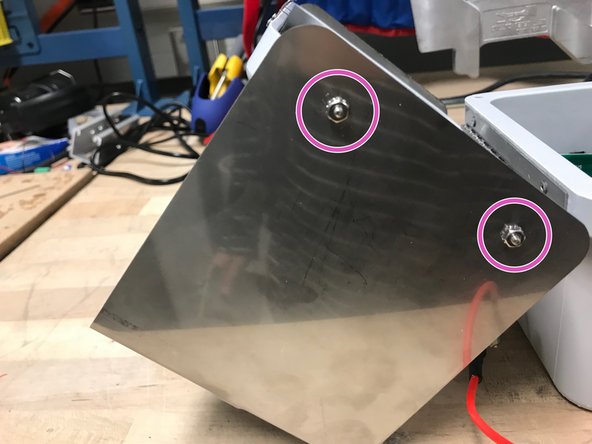
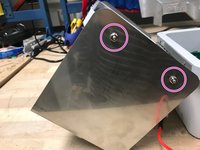
    • Using screws and a screw driver, screw the solar panel into these holes. Now that the solar panel is attached to the metal plate, attach the metal plate onto the lid of the enclosure

    • Note: the tall side of the metal plate should be on the same side of the enclosure as the holes for the ultrasonic sensor and cable glands.

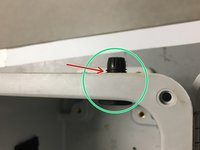
    • The screws and nuts should be screwed in this matter in the holes on the sides of the box lid (meaning the nut is on the outside)

    Demander à FixBot
  6. Depth Sensor Node Enclosure Assembly, Adding The Velcro: étape 6, image 1 de 2 Depth Sensor Node Enclosure Assembly, Adding The Velcro: étape 6, image 2 de 2
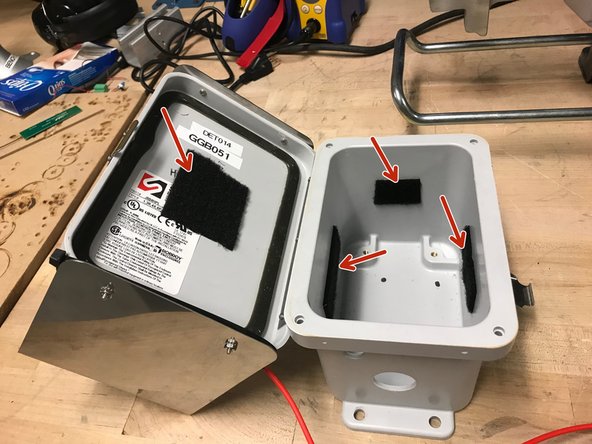
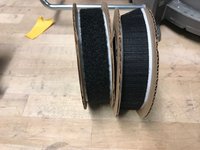
    • Obtain velcro

    • Add velcro with soft side inside the enclosure in the following places

    Demander à FixBot
  7. Depth Sensor Node Enclosure Assembly, Solar Panel Wire: étape 7, image 1 de 3 Depth Sensor Node Enclosure Assembly, Solar Panel Wire: étape 7, image 2 de 3 Depth Sensor Node Enclosure Assembly, Solar Panel Wire: étape 7, image 3 de 3
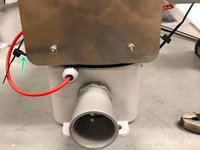
    • Now we need to insert the red extension wire from the solar panel into the enclosure box

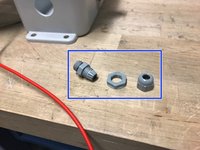
    • Obtain a cable gland

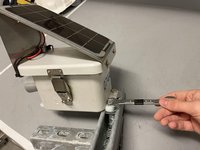
    • Screw the cable gland into the wall of the enclosure, through the small hole, as shown

    • Place an o-ring between the cable gland and outer-wall of the enclosure

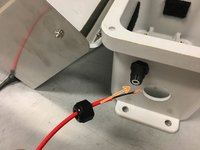
    • Insert the solar panel extension wire into the cable gland as shown, leaving approximately 8 inches of wire inside the enclosure

    Demander à FixBot
  8. Depth Sensor Node Enclosure Assembly, Solar Panel Wire Pt. 2: étape 8, image 1 de 2 Depth Sensor Node Enclosure Assembly, Solar Panel Wire Pt. 2: étape 8, image 2 de 2
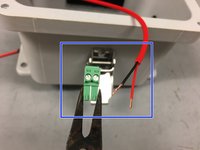
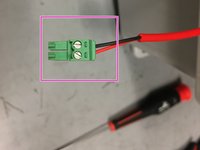
    • Obtain a plugable header and ensure the ends of the wires are twisted

    • Screw the wires into the plugable header as shown in the picture

    • Note: hand tight is just right.

    Demander à FixBot
  9. Depth Sensor Node Enclosure Assembly, Depth Sensor Assembly: étape 9, image 1 de 3 Depth Sensor Node Enclosure Assembly, Depth Sensor Assembly: étape 9, image 2 de 3 Depth Sensor Node Enclosure Assembly, Depth Sensor Assembly: étape 9, image 3 de 3
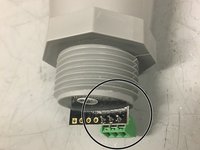
    • Solder a 3-prong terminal block to the ground, power, and data (#5) through-holes on the depth sensor

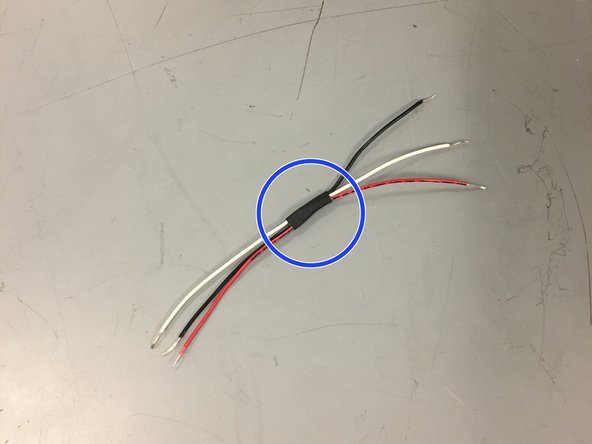
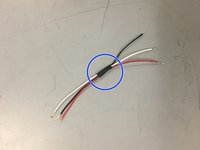
    • For organization, bind three wires (red, white, and black) with a small piece of shrink wrap

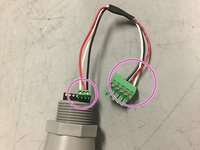
    • Connect the wires as shown in the picture (black to ground, red to power, white for data)

    Demander à FixBot
  10. Depth Sensor Node Enclosure Assembly, Depth Sensor Installation: étape 10, image 1 de 3 Depth Sensor Node Enclosure Assembly, Depth Sensor Installation: étape 10, image 2 de 3 Depth Sensor Node Enclosure Assembly, Depth Sensor Installation: étape 10, image 3 de 3
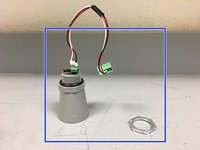
    • Assemble the depth sensor by adding the o-rings, and the connective wires in the order pictured, leaving the nut ring to the side

    • Note that the connective wires connect the depth sensor to the sensor node board. Remember, red wire is responsible for power, black is for ground, and white is for data

    • Place the depth sensor through the larger hole, and secure it firmly by tightening the nut ring

    • Make sure the nut ring is tightened securely as it will keep the enclosure water-tight

    Demander à FixBot
  11. Depth Sensor Node Enclosure Assembly, Attaching GPS and Antenna to Modem: étape 11, image 1 de 3 Depth Sensor Node Enclosure Assembly, Attaching GPS and Antenna to Modem: étape 11, image 2 de 3 Depth Sensor Node Enclosure Assembly, Attaching GPS and Antenna to Modem: étape 11, image 3 de 3
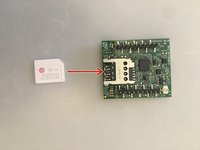
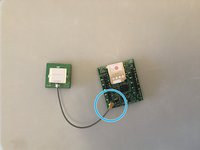
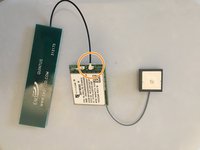
    • Obtain the cell module (modem), GPS, and antenna

    • Insert Super SIM card into cell module

    • Attach the GPS to the connection shown (grey wire)

    • Attach the antenna to the connection shown (black wire)

    Demander à FixBot
  12. Depth Sensor Node Enclosure Assembly, Adding Velcro to GPS and Antenna: étape 12, image 1 de 1
    • Attach rough-sided velcro on the antenna and GPS as shown in the picture.

    Demander à FixBot
  13. Depth Sensor Node Enclosure Assembly, Adding Velcro and Block Plug  to Battery: étape 13, image 1 de 3 Depth Sensor Node Enclosure Assembly, Adding Velcro and Block Plug  to Battery: étape 13, image 2 de 3 Depth Sensor Node Enclosure Assembly, Adding Velcro and Block Plug  to Battery: étape 13, image 3 de 3
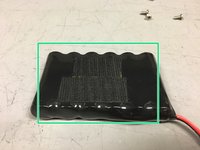
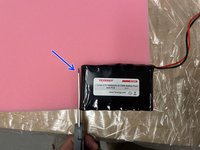
    • Obtain velcro and lithium ion 3.7V battery. Attach rough side of velcro on battery

    • Be very careful not to short the battery by touching the two wires together.

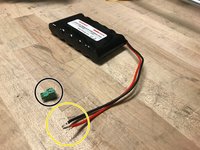
    • Obtain a block plug.

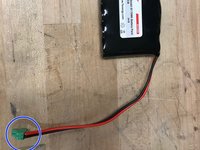
    • Twist the wires of the battery so they fit nicely in the plugable-header block

    • Screw the wires into the block plug

    • Note: hand tight is just right.

    Demander à FixBot
  14. Depth Sensor Node Enclosure Assembly, Preparing Battery for Enclosure: étape 14, image 1 de 3 Depth Sensor Node Enclosure Assembly, Preparing Battery for Enclosure: étape 14, image 2 de 3 Depth Sensor Node Enclosure Assembly, Preparing Battery for Enclosure: étape 14, image 3 de 3
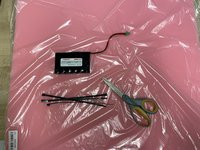
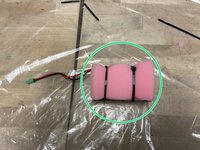
    • Obtain one battery, 4 zip ties, foam, and a pair of scissors

    • Cut out two battery-sized pieces of foam

    • Sandwich the battery between the two pieces of foam and secure it using the zip-ties. Connect the zip-ties to make two extra long zip-ties

    Demander à FixBot
  15. Depth Sensor Node Enclosure Assembly, Adding Standoffs and Battery to Enclosure: étape 15, image 1 de 3 Depth Sensor Node Enclosure Assembly, Adding Standoffs and Battery to Enclosure: étape 15, image 2 de 3 Depth Sensor Node Enclosure Assembly, Adding Standoffs and Battery to Enclosure: étape 15, image 3 de 3
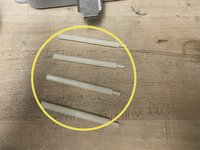
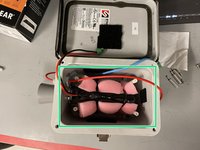
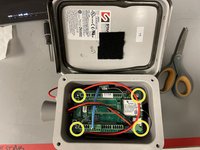
    • Obtain eight 1.5-inch long standoffs. Screw the standoffs together as shown, to make four 3-inch long standoffs

    • Screw the standoffs into the enclosure

    • Insert battery into the enclosure. Make sure the wire is on the sensor-side of the enclosure

    Demander à FixBot
  16. Depth Sensor Node Enclosure Assembly, Connecting Jumpers, SD card, and Modem on Sensor Node Board: étape 16, image 1 de 3 Depth Sensor Node Enclosure Assembly, Connecting Jumpers, SD card, and Modem on Sensor Node Board: étape 16, image 2 de 3 Depth Sensor Node Enclosure Assembly, Connecting Jumpers, SD card, and Modem on Sensor Node Board: étape 16, image 3 de 3
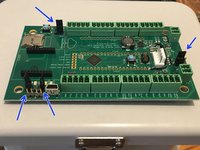
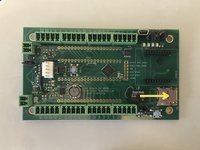
    • Obtain Open-Storm board and place 4 jumpers in the spots shown

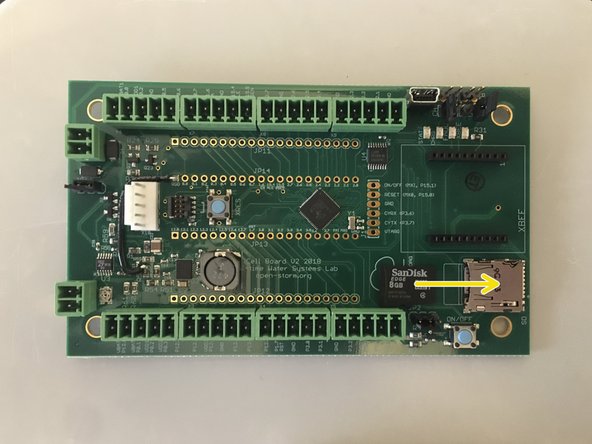
    • Insert microSD card into board

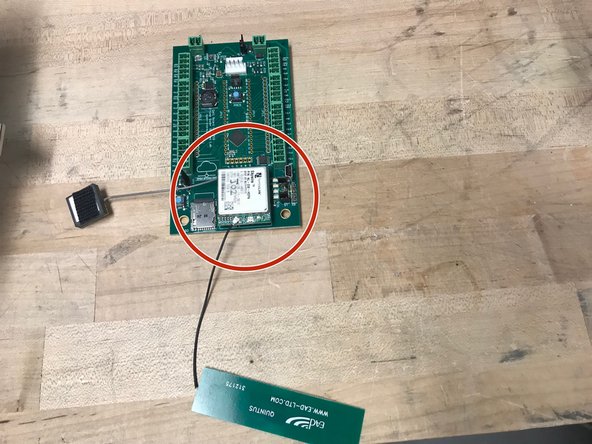
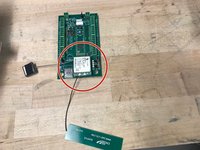
    • Attach the cellular module onto the sensor node board in the appropriate place

    Demander à FixBot
  17. Depth Sensor Node Enclosure Assembly, Connecting Sensors, Solar Panel to Node Board: étape 17, image 1 de 2 Depth Sensor Node Enclosure Assembly, Connecting Sensors, Solar Panel to Node Board: étape 17, image 2 de 2
    • Put the board on top of the standoffs in the enclosure, and screw it in using a screw driver

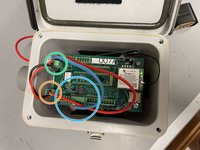
    • Connect the depth sensor wire as shown

    • Connect the solar panel wire to the board as shown

    • Connect the battery wire to the board as shown

    Demander à FixBot
  18. Depth Sensor Node Enclosure Assembly, Securing Antenna, GPS, and Battery: étape 18, image 1 de 1
    • Attach the antenna, and the GPS on the velcro to the closest wall on the inside of the enclosure

    Demander à FixBot
  19. Depth Sensor Node Enclosure Assembly, Applying Open-Storm and Node ID stickers: étape 19, image 1 de 3 Depth Sensor Node Enclosure Assembly, Applying Open-Storm and Node ID stickers: étape 19, image 2 de 3 Depth Sensor Node Enclosure Assembly, Applying Open-Storm and Node ID stickers: étape 19, image 3 de 3
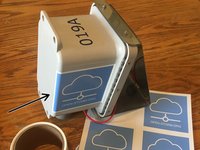
    • apply the open-storm sticker to the side of the enclosure as shown

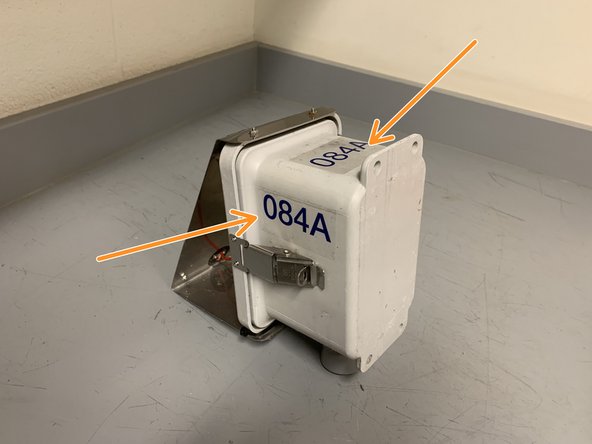
    • apply the unique node ID sticker to the two spots shown

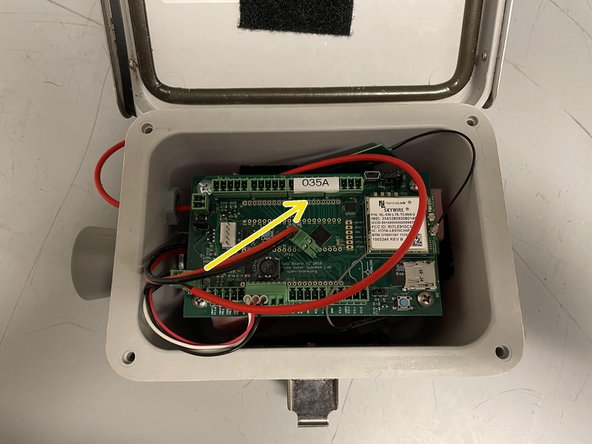
    • print a label with the unique node ID that appears on the sticker using the label maker

    • apply the label to the board as shown

    Demander à FixBot
  20. Depth Sensor Node Enclosure Assembly, Securing the Solar Panel Wire: étape 20, image 1 de 3 Depth Sensor Node Enclosure Assembly, Securing the Solar Panel Wire: étape 20, image 2 de 3 Depth Sensor Node Enclosure Assembly, Securing the Solar Panel Wire: étape 20, image 3 de 3
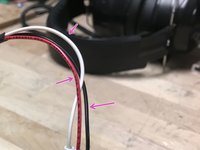
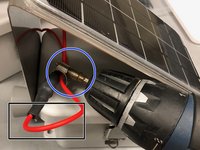
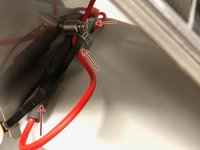
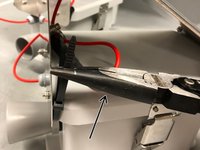
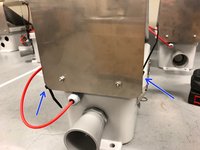
    • Fold wire over itself so that the portion above the hose clamp won't have slack when the black wire section is pressed against the inside of the panel

    • Obtain a hose clamp, and secure the red part of the wire to the black section using a drill fitted with the drill bit

    • Wrap a zip tie around the wire as shown.

    • Use a second zip tie to connect the ends of the first one

    Demander à FixBot
  21. Depth Sensor Node Enclosure Assembly, Securing the Solar Panel Wire-continued: étape 21, image 1 de 3 Depth Sensor Node Enclosure Assembly, Securing the Solar Panel Wire-continued: étape 21, image 2 de 3 Depth Sensor Node Enclosure Assembly, Securing the Solar Panel Wire-continued: étape 21, image 3 de 3
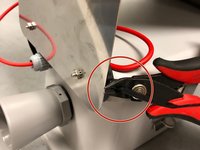
    • Use a clamp to tighten the zip tie

    • Position each zip tie head as shown while tightening

    • Clip excess zip tie as close as possible

    Demander à FixBot
  22. Depth Sensor Node Enclosure Assembly, Adjusting Solar Charger Potentiometer: étape 22, image 1 de 3 Depth Sensor Node Enclosure Assembly, Adjusting Solar Charger Potentiometer: étape 22, image 2 de 3 Depth Sensor Node Enclosure Assembly, Adjusting Solar Charger Potentiometer: étape 22, image 3 de 3
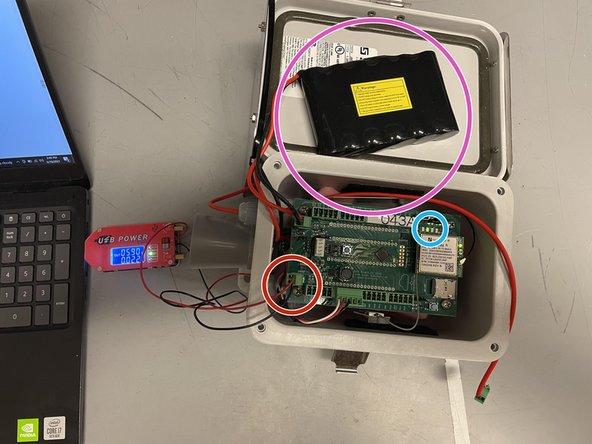
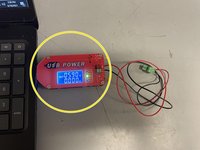
    • Obtain USB power supply, plug into a laptop, and set output to 5.9V

    • Check the voltage with a voltmeter (you may have to set the power supply to ~5.8V for the voltmeter to read 5.9V)

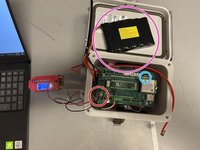
    • Plug in the green terminal block from the power supply into the Open-Storm board solar port.

    • Confirm the solar charge LED is off.

    • Plug in a dead battery to the battery port. This step will not work with a charged battery

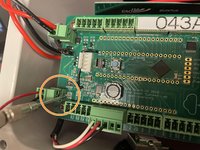
    • CAREFULLY turn the silver potentiometer next to the charge controller IC with a small flathead screw driver until the charge light turns on.

    • Although the screw has a phillip screw head, using a phillip screwdriver may damage the potentiometer. The hole in the center is too shallow for most screwdrivers. It is easier to use a flathead screwdriver!

    • Resource: 1. How to Select MPP Voltage on a Solar Charge Controller 2. Sunny Buddy Solar Charger V13 Hookup Guide

    Demander à FixBot
  23. Depth Sensor Node Enclosure Assembly, Preparing Lock: étape 23, image 1 de 3 Depth Sensor Node Enclosure Assembly, Preparing Lock: étape 23, image 2 de 3 Depth Sensor Node Enclosure Assembly, Preparing Lock: étape 23, image 3 de 3
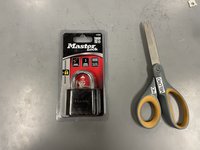
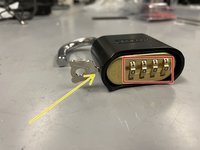
    • obtain a master lock and a pair of scissors

    • cut the lock and key out of the packaging

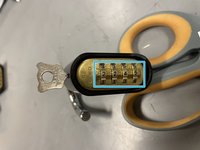
    • set the lock to the default combination, 0-0-0-0, open the lock

    • put the key into the lock and twist clockwise 90 degrees

    • while the key is still twisted, set the combo to 2-2-4-5

    • remove the key, and the lock is ready to go

    Demander à FixBot
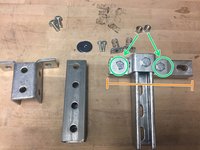
  24. Depth Sensor Node Enclosure Assembly, Preparing Node Handle pt. 1: étape 24, image 1 de 3 Depth Sensor Node Enclosure Assembly, Preparing Node Handle pt. 1: étape 24, image 2 de 3 Depth Sensor Node Enclosure Assembly, Preparing Node Handle pt. 1: étape 24, image 3 de 3
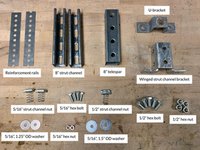
    • obtain the materials in the quantities shown

    • screw the U-bracket onto one of the 8" strut channels, using one of the 1/2" hex bolts and the 1/2" strut channel nut

    • attach the remaining 8" strut channel piece to the U-bracket, using two 1/2" hex bolts and two 1/2" hex nuts

    • be sure not to center the strut channel you are attaching the the U-bracket, instead make one side of the U-bracket flush with end of the strut channel (as shown)

    Demander à FixBot
  25. Depth Sensor Node Enclosure Assembly, Preparing Node Handle pt. 2: étape 25, image 1 de 1
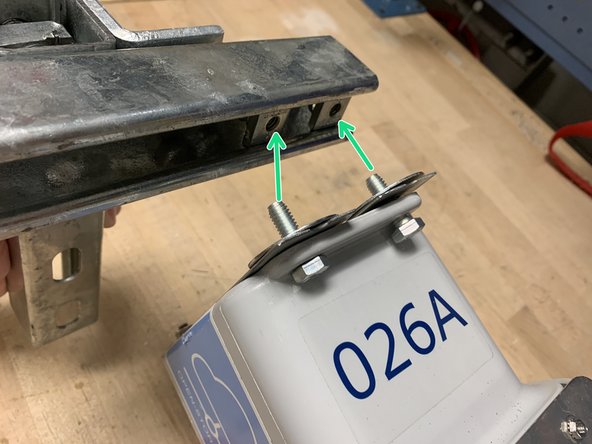
    • insert the two 5/16" strut channel nuts into the back of the horizontal strut channel as shown

    Demander à FixBot
  26. Depth Sensor Node Enclosure Assembly, Preparing Node Handle pt. 3: étape 26, image 1 de 3 Depth Sensor Node Enclosure Assembly, Preparing Node Handle pt. 3: étape 26, image 2 de 3 Depth Sensor Node Enclosure Assembly, Preparing Node Handle pt. 3: étape 26, image 3 de 3
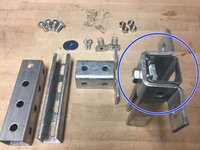
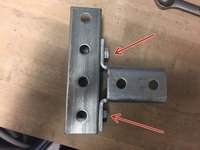
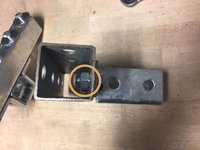
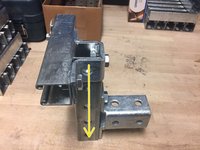
    • attach the winged strut channel bracket to the 8" telespar using the remaining two hex bolts and hex nuts

    • when tightening the hex nuts, ensure the edge of the nut points directly outwards (as shown), or else the struct channel piece will not slide inside

    • confirm the T-shaped strut channel piece slides into the telespar, and the handle is now finished

    Demander à FixBot
  27. Depth Sensor Node Enclosure Assembly, Adding Reinforcement Rails: étape 27, image 1 de 2 Depth Sensor Node Enclosure Assembly, Adding Reinforcement Rails: étape 27, image 2 de 2
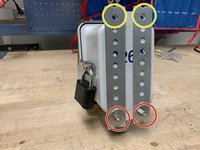
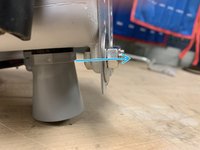
    • Attach the reinforcement rails to the back of the node using two 5/16" hex bolts, two 5/16" hex bolts, and two 5/16" 1.25" OD washers. Insert the bolts the bottom two holes of the node enclosure, using the bottom holes of the rails as shown in the image.

    • Line up the top holes of the rails with the top node enclosure holes and then tighten the bottom bolts.

    Demander à FixBot
  28. Depth Sensor Node Enclosure Assembly, Attaching Enclosure to Handle: étape 28, image 1 de 3 Depth Sensor Node Enclosure Assembly, Attaching Enclosure to Handle: étape 28, image 2 de 3 Depth Sensor Node Enclosure Assembly, Attaching Enclosure to Handle: étape 28, image 3 de 3
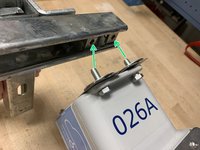
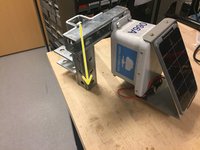
    • screw the node enclosure onto the strut channel using the two 5/16" hex bolts and two 5/16" 1.5"OD washers. Be sure to put bolts through the reinforcement rails.

    • removing the T-shaped strut channel piece from the telespar makes this step easier

    • slide the T-shaped piece back into the telespar

    Demander à FixBot
  29. Depth Sensor Node Enclosure Assembly, Finishing Touches: étape 29, image 1 de 3 Depth Sensor Node Enclosure Assembly, Finishing Touches: étape 29, image 2 de 3 Depth Sensor Node Enclosure Assembly, Finishing Touches: étape 29, image 3 de 3
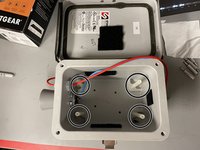
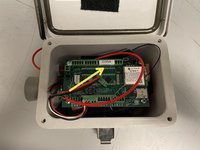
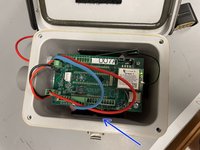
    • this is what the node should look like on the inside

    • make sure the battery is plugged in

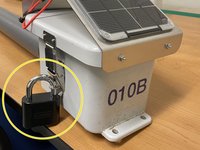
    • attach the lock to the outside of the enclosure

    • return to Node Builder for instructions on how to drop off the node at the testing rack

    Demander à FixBot
Ligne d'arrivée

3 autres ont terminé cette réparation.

Brooke Mason

Membre depuis le 05/29/19

2 958 Réputation

17 tutoriels rédigés

Équipe

Open-Storm Membre de l'équipe Open-Storm

Community

14 membres

24 tutoriels rédigés

0 commentaires de tutoriel

Ajouter un commentaire

Nombre de vues :

Dernières 24 heures : 1

7 derniers jours : 5

30 derniers jours : 91

Total : 1,463