Batterie
Cette traduction a été générée automatiquement et n’a pas encore fait l’objet d’une relecture humaine. Vous parlez cette langue ? Relisez-la.

|
1 Réponse Indice de 0 |
Fix intense flickering to the point where I can't see my screen. |
|
1 Réponse Indice de 0 |
كيف ازيد من مساحة التخزين الخاصة |
Voici quelques outils couramment utilisés pour travailler sur cet appareil. Vous ne devriez pas avoir besoin de tous les outils pour chaque procédure.
Contexte ==
Commercialisé fin août 2019, le Dell Latitude 5300 a été conçu pour les professionnels ayant besoin d'une performance fiable où qu'ils soient. Doté d'un écran de 13,3 pouces, d'une résolution Full HD, de 8 Go de RAM et d'un processeur Intel Core i5 de 8e génération, cet appareil, classé comme ordinateur portable, est fait pour une utilisation quotidienne. Le Dell Latitude 5300 dispose d'un SSD de 256 Go et d'une batterie lithium-ion à 4 cellules d'une capacité de 60 Wh. Les clients disent que l'appareil est léger, ce qui améliore sa portabilité, et décrivent le clavier rétroéclairé comme confortable avec un "retour tactile cliquable". Cependant, certains utilisateurs ont signalé que l'appareil chauffe sous une forte charge, ajoutant que le système de refroidissement est bruyant et relativement inefficace.
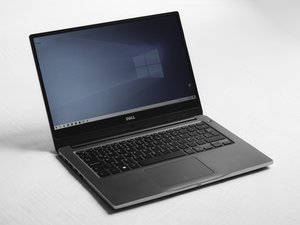
Le Dell Latitude 5300 est un ordinateur portable de 13 pouces avec un design noir et le logo Dell sur le devant de l'écran et sur le bas de l'appareil. Le nom du modèle "Latitude 5300" se trouve sur une étiquette sur le panneau inférieur. Vous pouvez également confirmer le modèle dans les paramètres système ou le BIOS.
Avant de commencer le remplacement, assurez-vous que l'ordinateur portable est complètement éteint, débranché et déconnecté de tout appareil externe. Après avoir retiré le cache de la base, le câble de la batterie doit être déconnecté de la carte mère avant de desserrer les vis de la batterie et de soulever celle-ci pour l'extraire. Lors de l'installation de la nouvelle batterie, alignez-la correctement dans son logement, fixez les vis, rebranchez le câble de la batterie et remettez en place tout ruban adhésif. Dell avertit également que les batteries lithium-ion gonflées ne doivent pas être réutilisées et doivent être manipulées avec précaution et remplacées correctement.
Mode d'emploi officiel du Dell Latitude 5300
Mode d'emploi officiel du Dell Latitude 5300 2 en 1
Mode d'emploi officiel du Dell Latitude 5300 2 en 1 Chromebook
Page de diagnostic et de support officiel de Dell
Test du Dell Latitude 5300 (NotebookCheck)
Test du Dell Latitude 5300 2 en 1 (NotebookCheck)
Test du Dell Latitude 5300 2 en 1 (PCMag)
Test du Dell Latitude 5300 2 en 1 Chromebook (PCMag)
Dernières 24 heures : 5
7 derniers jours : 32
30 derniers jours : 159
Total : 5,130